
Fetch: Receipts For Gift Cards
Fetch RewardsShopping
4.8297.67K Reviews
- Version
- 4.69.1
- Installs
- 10.00M
- Age Rating
- Everyone
Screenshots
Our Review of Fetch: Receipts For Gift Cards
 Analysis by Appyee
If you're anything like me, finding ways to save a few bucks here and there is like striking gold. Enter Fetch: America’s Rewards App. This little gem is designed to reward you for doing something you already do—shopping. I decided to give it a whirl and, honestly, I’m pretty stoked about what I found.
What makes Fetch interesting to me is the small change it asks of you: keep the receipt you might otherwise throw away, then scan it. That makes it feel less like planning a shopping strategy and more like adding one quick step to an errand you already completed. I wouldn’t treat it as a reason to buy extra things, though. Its value is in collecting rewards from purchases you were going to make anyway.
A receipt habit that fits real life
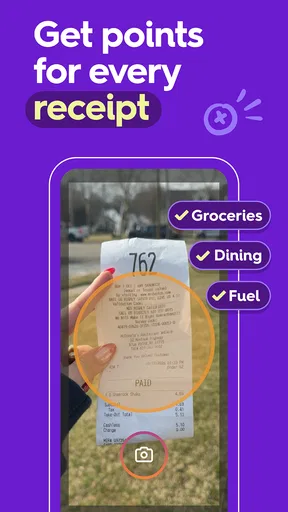
I find the easiest way to remember the app is to make scanning part of unpacking groceries. Put the bags away, set the receipt aside, and take a moment to submit it before it disappears into a coat pocket or the recycling. For a coffee stop or a quick shop, the same habit works: scan while the receipt is still in your hand, rather than trying to reconstruct where it went later.
This routine is especially useful for households where one person does several kinds of shopping. Instead of trying to plan every purchase around a rotating offer, you can simply gather the receipts from ordinary errands and check what qualifies. The trade-off is that you still have to remember the step. If you routinely pay without taking a receipt or never want to deal with one afterward, the app’s central feature may not fit your habits.
Getting Started with Fetch
Diving into Fetch: America’s Rewards App is a breeze. First, you download it from your app store of choice—whether you’re team Android or iOS, they’ve got you covered. The setup is straightforward. You sign up, and boom, you’re ready to start raking in those rewards.
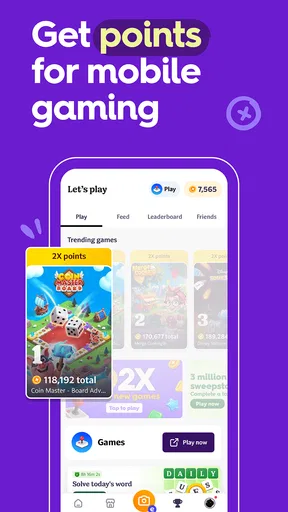
Once you’re in, the app greets you with a clean, user-friendly interface. It’s not cluttered, which I appreciate because who needs more chaos in their life, right? Everything you need is just a tap away, making it super easy to navigate.
It helps to think of Fetch as a small shopping companion, not a full budgeting tool or a price-comparison service. I would not open it expecting to see whether one shop has cheaper groceries than another; I’d use it after shopping to turn eligible receipts into progress toward rewards. That distinction matters if you’re choosing between apps: a coupon or cash-back service may be better when your main goal is to lower the price before checkout, while Fetch suits people who prefer a simple post-purchase routine.
Scanning Receipts: The Heart of Fetch
The core feature of Fetch is scanning receipts. Anytime you make a purchase, whether it’s groceries, gas, or a quick coffee run, you snap a pic of your receipt. The app then works its magic, scanning for eligible purchases that earn you points. And let me tell you, the process is as easy as pie.
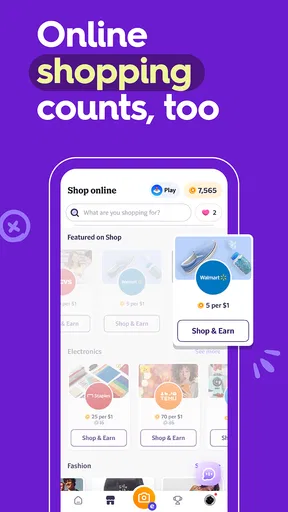
One of the cool bits? Fetch doesn’t limit you to specific stores. You can upload receipts from virtually anywhere that gives you a valid receipt. Plus, if you’re someone who’s all about e-receipts, Fetch has got your back with a feature that syncs with your email to grab those digital receipts too.
For a realistic example, picture a Saturday when I pick up groceries, grab a coffee, and stop for a few household basics. Rather than changing my route to chase a deal, I keep the receipts together and submit them afterward. That is the moment the broad receipt approach makes sense: it can fit a mixed errand day instead of asking me to shop at one particular retailer. The practical tip is to check that each receipt is readable before submitting it; a clear photo makes the scan process easier to follow and gives me a better chance of seeing what the app recognized.
Rewards, Glorious Rewards
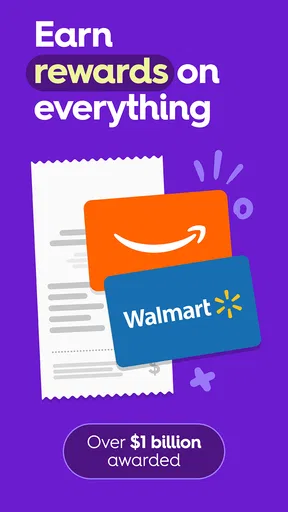
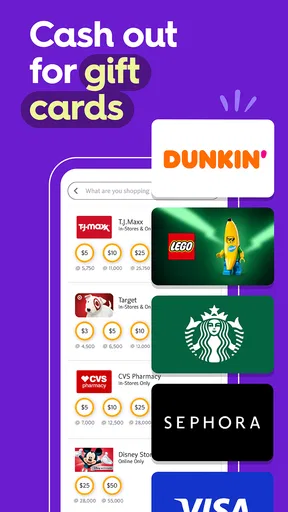
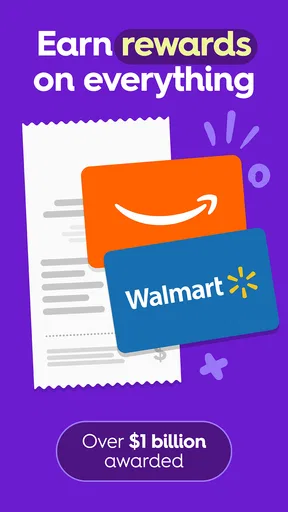
So, what do you do with all those points? Well, this is where Fetch shines. The points can be redeemed for a variety of rewards, from gift cards to your favorite stores to entries in sweepstakes for a chance to win some pretty sweet prizes. I found myself eyeing the gift cards—because who doesn’t love a free shopping spree?
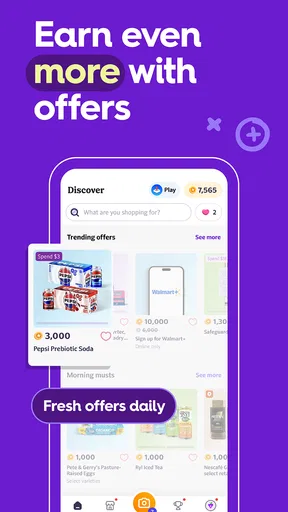
What’s awesome is that Fetch frequently updates their reward options, meaning there’s always something new to aim for. So, whether you’re saving up for a big reward or just want to treat yourself, there’s something for everyone.
I’d choose a reward with a real use in mind rather than collecting points indefinitely for a prize that sounds exciting but may not suit me later. If I often shop at a particular place, a relevant gift card feels more practical than an abstract target. Sweepstakes entries are a different kind of choice: they offer a chance rather than a predictable reward, so I’d only spend points on them if I’m comfortable with that uncertainty.
User Experience: Smooth Sailing
The app runs smoothly, which is a big plus in my book. I haven’t encountered any major bugs or crashes—just smooth sailing all the way. It’s quick to upload receipts and equally fast in processing them. The feedback loop is satisfying, giving you a clear breakdown of your points and how close you are to your next reward.
Another feature worth mentioning is the community aspect. Fetch encourages you to refer friends, and what’s better than sharing a good deal with buddies? Plus, you both earn extra points. Win-win!
For digital shopping, the email option can be more convenient than hunting for a paper receipt, but I would still treat it as a convenience rather than assuming every online order will appear automatically. Keeping the confirmation message easy to find and checking the app after a purchase makes the process less confusing. If you prefer not to connect shopping activity to an email account, paper receipts remain the straightforward route described here.
Who will get the most from it
Fetch is a better fit for someone who shops regularly, keeps receipts long enough to scan them, and enjoys seeing small rewards build over time. It can also suit a busy household where several ordinary errands produce receipts, because the habit does not depend on remembering one special store or changing a weekly routine. I’d recommend it to a friend who wants a low-effort extra step, as long as they understand that points are a bonus, not a replacement for comparing prices or sticking to a budget.
I’d skip it if receipt handling feels like a chore, if you want immediate savings at the register, or if you expect every purchase to produce a meaningful reward. The app’s broad usefulness comes from submitting eligible receipts, but the payoff depends on what you buy and what you are willing to redeem. People who enjoy clipping coupons or checking retailer-specific offers before they shop may get more direct value from those alternatives. Fetch is most appealing when convenience matters more than optimizing every transaction.
What to know before making it a routine
Fetch Rewards is the developer behind this free shopping app. It is rated for Everyone, has an average rating of 4.7 from around 1.7 million ratings, and has been installed over 10 million times. Those figures suggest that receipt-based rewards have broad appeal, but they do not tell me whether the routine will suit an individual shopper. I’d judge that by trying the scan-and-check habit with errands I already make, not by adding purchases to chase points.
The app’s current version is 4.58.0, and it supports devices running version 8.0 or later of its operating system. It was released on December 7, 2016, and has accumulated around 294,000 written reviews. In practice, the useful question is less about its age or popularity and more about whether you are comfortable saving receipts and reviewing rewards now and then. If you are, the basic workflow is easy to understand; if you want automatic savings without any follow-up, this is not the most hands-off kind of shopping app.
Final Thoughts
At the end of the day, Fetch: America’s Rewards App is a no-brainer for anyone looking to earn a little extra from their regular shopping trips. It’s easy to use, offers a wide array of rewards, and makes the process of earning points feel effortless. Whether you’re a seasoned bargain hunter or just dipping your toes into the world of rewards apps, Fetch is definitely worth checking out.
So next time you’re headed out for a shopping spree, don’t forget to grab your receipts. With Fetch, every purchase is a chance to earn a little something extra, and who doesn’t love that?
My honest recommendation is to give it a try only if the receipt step sounds manageable, then keep the app in its proper place: a small reward for routine shopping, not a reason to spend more. If that matches the way you already shop, Fetch can make an otherwise forgettable receipt feel a little more useful.
Privacy and Permissions
See what permissions an app requests and how it handles your data.
- Identity
- find accounts on the device, add or remove accounts
- Contacts
- find accounts on the device, read your contacts
- Location
- approximate location (network-based), precise location (GPS and network-based)
- Camera
- take pictures and videos
- Wi-Fi connection information
- view Wi-Fi connections
- Other
- view network connections, create accounts and set passwords, connect and disconnect from Wi-Fi, full network access, change your audio settings, read sync settings, run at startup, control vibration, prevent device from sleeping, toggle sync on and off, Google Play license check, read Google service configuration
Verdict
Strengths of Fetch: Receipts For Gift Cards
- Easy to navigate interface.
- Quick receipt scanning feature.
- Wide range of reward options.
- Loyalty program integration.
- Frequent bonus opportunities.
Limitations of Fetch: Receipts For Gift Cards
- Limited international availability.
- Occasional app glitches.
- Rewards can take time to redeem.
- Requires location access.
- Limited partner stores.
Similar Picks in This Category
View All
SHEIN-Shopping Online
Roadget Business PTE. LTD.4.8

Amazon Shopping
Amazon Mobile LLC4.4


Mercado Libre: Compras online
Mercado Libre4.8

Wish: Shop and Save
Wish US Holdings LLC4.7

Alibaba.com - B2B marketplace
Alibaba Mobile4.4
Frequently Asked Questions
What is Fetch Rewards and how does it work?
Fetch Rewards is a mobile app that allows users to earn points by scanning their grocery receipts. Users can then redeem these points for gift cards to popular retailers. The app partners with various brands, so you earn points for purchasing specific products. It’s a simple way to turn shopping into rewards.
Is Fetch Rewards available on both Android and iOS?
Yes, Fetch Rewards is available for download on both Android and iOS devices. You can find it on the Google Play Store for Android users and the Apple App Store for iOS users. The app is free to download, making it accessible for everyone interested in earning rewards from their purchases.
Are there any costs or hidden fees associated with using Fetch Rewards?
Fetch Rewards is completely free to use. There are no hidden fees or charges for downloading or using the app. Users simply need to scan their grocery receipts to earn points. The app makes money through partnerships with various brands, allowing it to offer rewards without charging users.
What types of rewards can I earn with Fetch Rewards?
With Fetch Rewards, users can earn a variety of rewards, including gift cards to popular retailers like Amazon, Walmart, and Target. The app occasionally offers other incentives, such as sweepstakes or special promotions. Rewards vary, so it's a good idea to check the app regularly for the latest offerings.
Is Fetch Rewards safe and secure to use?
Fetch Rewards prioritizes user security and privacy. The app requires minimal personal information and uses secure methods to handle data. Receipt information is used solely for earning points and improving user experience. Users can feel confident that their personal data is protected while using the app.
